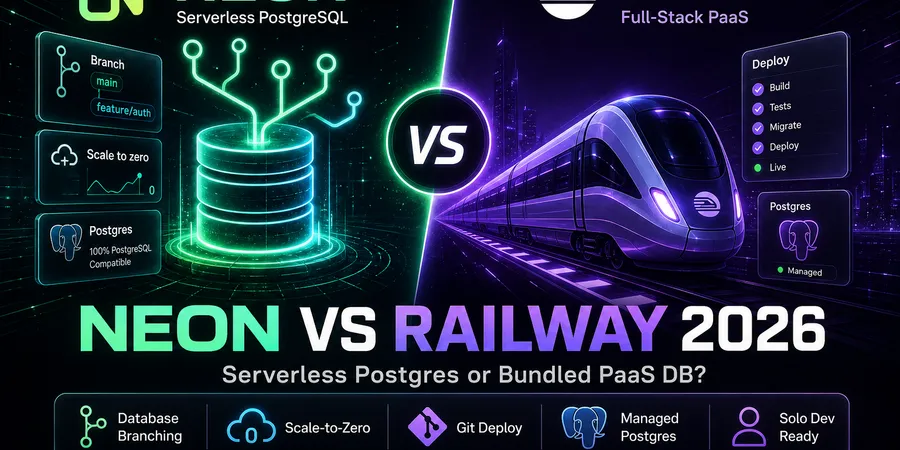
If you’re a solo dev sketching out a side project this weekend, the Neon vs Railway question usually shows up about ten minutes after you decide “okay, I need Postgres.” Railway dangles a one-click Postgres plugin that lives next to your app on the same dashboard. Neon promises serverless PostgreSQL with branching and a free tier that scales to zero when nobody’s hitting it. They sound similar, they aren’t, and picking the wrong one means rewriting connection strings later.
I’ll be honest up front: this isn’t a hosting shootout. If you’re still deciding where to deploy the app itself, my Railway vs Vercel 2026 write-up is the better starting point. This post is for the moment after that — when the host is more-or-less picked and you’re choosing the database layer.
TL;DR
- Neon — serverless Postgres with database branching and scale-to-zero. Free ($0/mo: 100 CU-hours, 0.5 GB storage/project); paid Launch and Scale are usage-based (no monthly minimum).
- Railway — git-push PaaS where Postgres lives as an add-on inside the same project as your app. $5 trial credit, then Hobby $5/mo (includes usage credit) + metered Postgres CPU/memory/storage.
- Key insight: these aren’t substitutes. Neon is a database; Railway is an app platform that includes a database. Compare them on what your DB layer needs, not on hosting features.
- My pick (short version): solo MVP, one git push, no branching obsession → Railway. Vercel/Netlify frontend or per-PR preview DBs → Neon. Outgrowing bundled Postgres on Railway → run the app on Railway and point it at Neon.
- Budget watch: Neon’s surprise bills come from compute hours and storage; Railway’s come from always-on services + metered DB usage. Different shapes, same lesson — set spend limits early. Run the numbers in the DevPicks stack cost calculator before you commit.
What you’re actually comparing
Most “Neon vs Railway” posts treat both as hosting and end up confusing the reader. Here’s the cleaner framing:
- Neon is a dedicated serverless PostgreSQL provider. You get a connection string. You can plug that connection string into a Next.js app on Vercel, a Go API on Fly, a Python worker on Railway, or your laptop. Neon doesn’t run your app.
- Railway is a full PaaS. You push a repo, Railway builds and runs it, and you can add a Postgres “plugin” (their term for a managed sibling service) inside the same project. The DB is co-located with the app, and Railway injects a
DATABASE_URLenv var automatically.
So the real question isn’t “which is better” — it’s:
Do I want my database tied to my app’s deploy platform, or do I want it as a separate, swappable service?
If the app and database have the same lifecycle (deploy together, scale together, die together) — Railway’s bundled approach is genuinely less work. If the app lives on Vercel/Netlify, or you want branch-per-PR databases, or you want the DB to outlive any single host choice, Neon makes more sense.
A quick detour: if you haven’t picked an app host yet and are weighing JAMstack vs PaaS broadly, Netlify vs Railway 2026 covers that side of the matrix. Come back here once the host is settled.
Neon: what solo devs get in 2026
Neon’s pitch is “Postgres, but serverless.” In practice that means three things solo devs actually care about:
- Scale-to-zero compute. After 5 minutes of inactivity, compute suspends and CU-hours stop accruing — you pay $0 for idle compute on Free and Launch (Scale can configure always-on). Storage still meters while data exists.
- Database branching. You can fork a branch — schema and data — like Git. Free includes 10 branches per project; paid plans add more. Extra branches above the allowance cost $1.50/branch-month (prorated).
- Universal connection string. Standard Postgres wire protocol. Connect from Vercel functions, Railway services, Fly, or local dev. Neon exposes pooled (for serverless) and direct endpoints in the dashboard.
Pricing tiers
Neon publishes a permanent Free plan (100 CU-hours/project, 0.5 GB storage, 5 GB egress/mo), plus paid Launch and Scale tiers billed hourly with no monthly minimum — Launch compute at $0.106/CU-hour, storage $0.35/GB-month. The free tier is enough for prototypes and quiet side projects; the ceilings are compute hours and half a gig of storage, not request counts.
Pros (solo-dev lens)
- Scale-to-zero genuinely cuts the “idle side project” cost problem.
- Branching is a real workflow improvement if you do PR previews.
- Works equally well with Vercel, Netlify, Railway, Fly, or local dev — no lock-in to a specific app host.
- Postgres-compatible — Prisma, Drizzle, Kysely, raw
pg, all fine.
Honest cons
- Database only. You still need somewhere to run the app. That’s a second vendor and a second bill.
- Cold starts when compute has suspended — the first query after idle waits for compute to wake. I haven’t benchmarked it on my projects; it’s noticeable, not catastrophic.
- Connection limits. Serverless Postgres requires pooling discipline, especially from edge runtimes — use the pooled endpoint unless you know you need direct connections.
- Branching is great until you forget to delete branches. Stray branches consume storage and can hit the branch allowance.
Best fit
Vercel/Netlify frontend that needs Postgres. Any app where dev/staging DB isolation matters. Projects that sit idle for long stretches between bursts of work.
I’ve used Neon branching on a small Drizzle + Next.js side project — creating a branch per PR beat re-seeding a shared staging database every time the schema moved.
Railway: what solo devs get in 2026
I covered Railway’s PaaS side in Railway vs Vercel 2026, so here I’ll focus on the Postgres add-on specifically — which is what we’re actually comparing to Neon.
When you add Postgres to a Railway project, you get a managed Postgres instance running as a sibling service to your app. Railway auto-injects DATABASE_URL (and related vars) into your app’s env. Logs and metrics show up in the same dashboard. You can connect externally via a public connection string, but most solo devs never need to.
Pricing shape
Railway’s Hobby plan is $5/mo and includes $5 of usage credit; Postgres consumes that credit based on memory, CPU, and volume storage billed per second. A one-time $5 trial credit applies before you subscribe. Pro is $20/mo per seat for teams. See railway.com/pricing for current resource rates.
The honest summary: there’s no scale-to-zero on Railway Postgres in the Neon sense. It’s a running service while deployed — billed for the resources it uses.
Pros (solo-dev lens)
- One project, one dashboard, one bill — app, database, Redis (if you add it), all together.
DATABASE_URLinjection means zero config for most frameworks.- Git-push deploys with the DB right there — feels like classic Heroku, which is the point.
- Managed Postgres template includes backups and routine ops in the dashboard — you aren’t ssh-ing into a VM.
Honest cons
- No first-class branching per Git branch in the way Neon ships it. Railway PR environments can spin up services (and databases) per pull request, but forking a large dataset by metadata isn’t the same workflow as Neon branches.
- Always-on service = always-on cost while running. An idle weekend project still ticks the meter, just slowly.
- Postgres is somewhat coupled to Railway in practice. Migrating off later means a
pg_dumpand connection-string rewrite — not catastrophic, but not as clean as Neon, where the DB is the product and you take it wherever. - Usage billing surprises tend to come from memory and CPU, not query counts — solo devs without monitoring can be caught off guard.
Best fit
A solo MVP where the app and DB ship together, you don’t need fancy branching, and you’d rather pay one platform than two. Indie projects on the “Heroku, but in 2026” workflow.
Head-to-head: 5 solo-dev database tasks
Walkthrough note. Steps below follow official docs and patterns from prior side projects — not timed benchmarks from a fresh account this week.
1. Provision PostgreSQL for a new side-project API
- Neon: sign in → create a project → pick a region → copy the pooled connection string → set
DATABASE_URLon your app host. - Railway: sign in → create a project → Add Service → Database → PostgreSQL → deploy your app in the same project;
DATABASE_URLis auto-injected.
Winner: roughly tied for time-to-first-query. Railway is slightly faster if the app is also going on Railway, because env injection is automatic. Neon is faster if the app is already running somewhere else.
2. Preview/staging database per Git branch
- Neon: create a branch from the dashboard or API — each branch gets its own connection string. Wire into CI for per-PR preview databases.
- Railway: PR environments can deploy a copy of services (including Postgres) when configured — useful, but cloning large datasets is heavier than Neon’s metadata branching.
Winner: Neon, by a margin. If branch-per-PR databases are a real workflow goal, this is the task where Neon’s design pays off.
3. Connect database to an app hosted elsewhere (e.g. Vercel)
- Neon: standard Postgres connection string (pooled for serverless); works from Vercel, Netlify, Cloudflare Workers via Neon’s HTTP driver, Fly, local.
- Railway: Postgres exposes a public connection string, but the platform assumes the DB lives beside Railway services — possible, not the default path.
Winner: Neon if the app isn’t on Railway. This is the central reason to pick Neon at all.
4. Cost when the project is idle
- Neon: compute suspends after inactivity — $0 CU-hours while suspended. You still pay for stored data ($0 on Free up to 0.5 GB; paid tiers meter storage hourly).
- Railway: services keep running, billed per second for memory/CPU/storage. A small idle Postgres still consumes the Hobby usage credit over time.
Winner: Neon for the side-project-that-sleeps-for-a-month pattern. Railway will quietly burn credit that Neon wouldn’t.
5. Monthly cost at solo scale (small API + Postgres, low traffic, one env)
- Neon: Free tier often covers a quiet prototype entirely; paid Launch only kicks in when you exceed Free limits or need org spend caps.
- Railway: Hobby $5/mo minimum plus usage — whether you exceed the included $5 credit depends on memory footprint, not query volume.
Winner: depends on architecture. If the app is also on Railway, the bundled bill often comes out simpler. If the app is on Vercel/Netlify, Neon + that host is usually cheaper at idle than spinning up a Railway DB you only use for storage.
For personal context: DevPicks itself has $0/mo database spend (static Astro on Vercel, no production Postgres). On side projects, Neon Free covers idle prototypes; Railway app + Postgres on Hobby typically lands around $5–10/mo if I leave staging services running.
Neon vs Railway pricing breakdown
| Tool | Price | Pros | Action |
|---|---|---|---|
| Neon | Free ($0) · Launch/Scale usage-based (from $0.106/CU-hr + storage) |
| Try → |
| Railway | $5 trial, then Hobby $5/mo (incl. $5 usage) · Postgres metered with app |
| Try → |
A few honest notes on the pricing shapes:
- Neon bills compute hours and storage separately. Bursty traffic with long idle gaps favors scale-to-zero. Always-on production compute evens the math out fast.
- Railway bills resources for running services. Postgres is one of them. A bigger working set = more memory = more spend. Query count itself isn’t the meter.
- Model your own stack in the stack cost calculator — a quiet Neon Free prototype and a Railway Hobby MVP with Postgres are not the same workload.
My verdict: who should get which
Get Neon if:
- The app already lives on Vercel, Netlify, Cloudflare, Fly, or anywhere not-Railway.
- You want branch-per-PR databases as a real workflow, not a nice-to-have.
- The project will sit idle for weeks at a time and you don’t want to pay for that.
- You’re DB-paranoid about lock-in — Postgres connection strings travel.
Get Railway (with bundled Postgres) if:
- It’s an MVP and “one git push, one dashboard, one bill” beats every other concern.
- App and DB will deploy and scale together.
- You don’t need branching beyond a basic staging environment.
- You’re coming from Heroku and want that workflow back.
Use both (split stack) if:
- You like Railway for the app runtime (Docker, cron, workers, simple deploys) but want Neon’s branching and idle-cost behavior for the DB.
- You started on Railway bundled Postgres and outgrew the always-on cost or want branching. Run the app on Railway, point
DATABASE_URLat Neon’s pooled endpoint, migrate withpg_dump/pg_restore.
One MVP I shipped started on Railway bundled Postgres; when I wanted branch-per-PR databases I dumped to Neon, swapped the connection string, and kept the API on Railway — about an hour, mostly waiting on the export.
Skip both / consider alternatives if:
- You want Postgres plus auth, storage, and realtime bundled — look at Supabase.
- You specifically want MySQL with a branching workflow — look at PlanetScale.
- You’re at a scale where managed RDS or Cloud SQL economics start to win — different post.
FAQ
Can I use Neon with an app deployed on Railway?
Yes — Neon gives you a standard Postgres connection string, and you can set it as DATABASE_URL in Railway’s env vars. It’s a reasonable split-stack pattern when you want Railway’s app runtime but Neon’s branching and idle behavior. Use the pooled endpoint, and put the Neon project in the same region as your Railway service to keep latency down.
Is Railway Postgres the same as Neon serverless Postgres?
No. Both are managed Postgres, but Railway runs a Postgres instance as a sibling service inside your project — it’s “managed Postgres on a PaaS,” not serverless in the scale-to-zero, branch-by-metadata sense. Neon separates storage and compute, which enables branching and suspend-after-idle billing.
Neon vs Railway pricing for a solo dev — which is cheaper?
For a side project that sits idle most of the time, Neon Free (or low Launch usage) usually wins because compute suspends. For an always-on small MVP where the app lives on Railway anyway, Hobby $5/mo with bundled Postgres is often simpler and competitive. If you’re paying for two platforms (Neon + separate app host), compare totals — not DB line items alone.
Do I need Neon if I already use Railway for everything?
Not necessarily. If your Postgres needs are modest and you don’t care about per-branch databases, Railway’s bundled Postgres is fine and saves you a vendor. The reasons to add Neon on top: branching, scale-to-zero, or you’ve outgrown the bundled DB’s cost profile.
Which is better for database branching and preview environments?
Neon. That’s the feature it was designed around. Railway has PR environments that can include databases, but instant metadata branching of a large dataset is Neon territory.
Wrapping up
Neon vs Railway isn’t really a fight — they’re built for different problems. Neon is a database product that goes wherever your app goes. Railway is an app platform that happens to include a competent Postgres add-on so you don’t need a second vendor for a small project.
The honest decision tree:
- App and DB ship together as an MVP, no branching obsession → Railway bundled.
- App lives somewhere else, or branching matters, or idle cost matters → Neon.
- Started on (1), outgrew it → split stack: Railway app + Neon DB.
- Need auth/realtime too → look at Supabase before either.
If you haven’t picked the app host yet, go read Railway vs Vercel 2026 or Netlify vs Railway 2026 first — that decision constrains this one more than people realize. Once you know where the app runs, the DB choice usually picks itself.
For the full stack math (host + DB + email + analytics), the stack cost calculator is the least-painful way to compare totals before you commit. Program details: Neon affiliate page and Railway affiliate page.
Start on Railway →