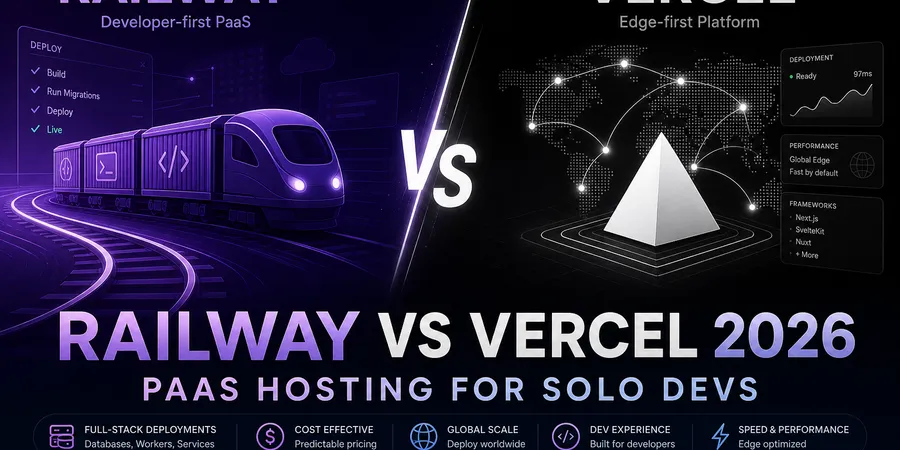
If you’re a solo dev picking between Railway vs Vercel in 2026, the honest answer depends on one question: are you shipping a frontend with a few API routes, or a real backend with a database, background jobs, and maybe a Docker container? Vercel was built around the first case. Railway leans into the second. Both will technically host “a web app,” but the moment your side project grows a Postgres dependency or a worker process, the gap between them stops being cosmetic.
This post compares Railway and Vercel as PaaS hosting for solo devs paying out of pocket — not enterprise feature matrices, not Lighthouse drag races. I’ll walk through five concrete deploy tasks, talk about where each platform’s pricing model bites, and give you a clear “pick this if…” at the end. If you’re actually choosing between static/Jamstack hosts instead, see Netlify vs Vercel 2026 — that’s a different decision.
TL;DR
- Railway — $5 one-time trial credit, then Hobby at $5/mo (includes $5 usage credit) or Pro at $20/mo (includes $20 usage credit), plus metered CPU/RAM/egress and managed databases. Best when your app needs a real backend environment.
- Vercel — Hobby free for personal, non-commercial projects; Pro at $20/user/mo with $20 included usage credit. Best when the product is Next.js (or another supported framework) with light serverless work.
- Key insight: Vercel is not a general-purpose backend host. If you need cron, queues, long-running processes, or a database in the same dashboard, Railway is the closer Heroku replacement.
- My pick: Use Vercel for the frontend, Railway for the backend + DB on most full-stack side projects. Single-platform Vercel works when the whole app fits in serverless. Single-platform Railway works when you don’t want a split stack.
- Budget note: Vercel pricing is predictable per tier; Railway pricing scales with usage — cheaper at idle, can surprise you if a container leaks memory or you forget a dev service running.
Want to sanity-check the math on your specific stack? Run your services through the stack cost calculator before committing.
What you’re actually comparing
This is the part most “Railway vs Vercel” posts get fuzzy on. They’re not the same product category.
Vercel is a frontend-first platform. It deploys a framework (Next.js especially, but also others), gives you preview URLs per branch, and runs your API routes as serverless or edge functions. There are real execution limits — per Vercel’s Hobby plan docs, function duration defaults to 10s on Hobby (configurable up to 60s) and 15s on Pro (up to 300s), with no persistent disk. You can’t apt install things. You can’t run a worker that polls a queue forever. You bring your own database via marketplace integrations (Neon, Supabase, etc.) or first-party storage like Vercel Blob (beta).
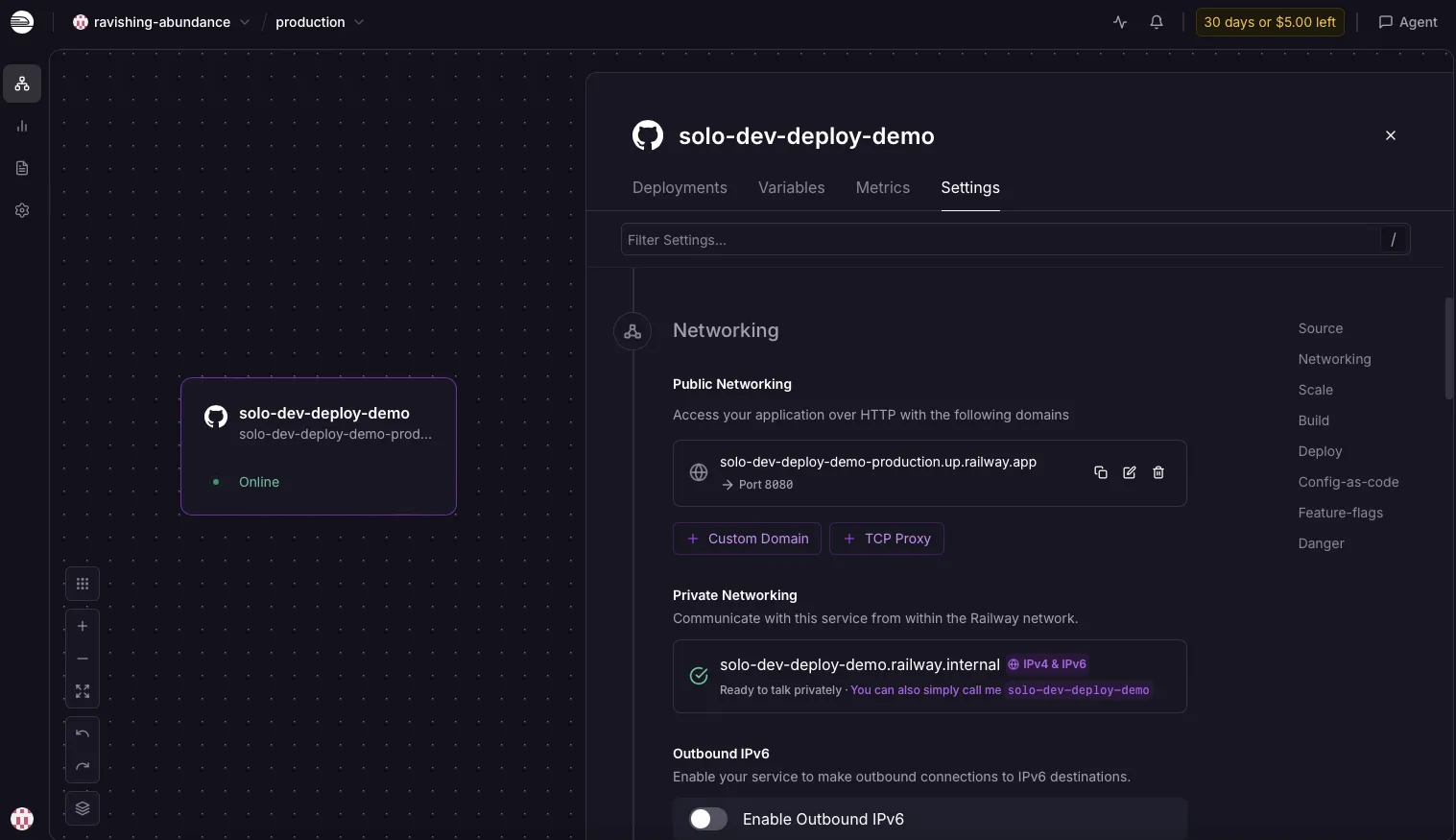
Railway is a general PaaS. You push a repo (or point it at a Dockerfile), it builds a container, and it runs that container as a long-lived service with logs, metrics, env vars, and a public URL. You can spin up managed Postgres, Redis, MySQL, or MongoDB next to it from the same dashboard. Cron jobs, background workers, internal-only services — all first-class. It’s the closest mainstream Heroku alternative for indie hackers today.
So the real comparison isn’t “which deploys Next.js faster.” It’s: does your app need a persistent backend runtime, or not? If yes → Railway territory. If no → Vercel is genuinely lower-friction. If it’s somewhere in between, the split-stack option (covered later) is usually the right call.
If you’re choosing between static/Jamstack hosts instead of full-stack PaaS, that’s a different post — see Netlify vs Vercel 2026.
Railway: what solo devs get in 2026
Railway sells itself as git-push deploys for full-stack apps. In practice, what you get is:
- Git-connected services — point at a GitHub repo, Railway detects the runtime (Node, Python, Go, Rust, Ruby, etc.) via Nixpacks or your
Dockerfile. - Managed databases — Postgres, MySQL, Redis, and MongoDB provisioned in a click, with a connection string injected as an env var.
- Docker support — bring any image, including non-mainstream runtimes (Elixir, Deno, Bun, custom CUDA-free Python builds, etc.).
- Cron jobs and workers — long-running services and scheduled jobs are normal Railway resources, not a separate product.
- Logs, metrics, env management — built into the dashboard. No separate observability vendor for a basic setup.
Pricing model (per railway.com/pricing, May 2026): $5 one-time trial credit on signup, then Hobby $5/mo (includes $5 usage credit) or Pro $20/mo (includes $20 usage credit). Beyond included credits, usage is metered — RAM at $10/GB/mo, CPU at $20/vCPU/mo, egress at $0.05/GB, and volume storage at $0.15/GB/mo.
Honest cons:
- Usage billing is genuinely scary the first month. A misconfigured service, a memory leak, or a forgotten staging environment can push your bill higher than expected. You need to set spend alerts and actually read the metrics tab.
- Egress is metered. If you serve a lot of large assets directly from Railway, that adds up — most teams front it with a CDN.
- The free experience is more limited than Vercel’s Hobby tier for indefinite personal projects. After the $5 trial credit, the realistic floor is Hobby at $5/mo — even if your usage stays under the included $5 credit, you still pay the subscription fee.
- Fewer integrations and less marketplace polish than Heroku in its prime. The core works; the long tail is thinner.
Best for: APIs, full-stack apps with Postgres, MVPs that need cron or workers, Docker-based services, anything that doesn’t cleanly fit serverless.
See the full program details on the Railway affiliate program page.
Vercel: what solo devs get in 2026
Vercel’s pitch is “git push, get a production URL, with previews.” For Next.js specifically, that’s still the smoothest deploy experience I’ve used.
What you get:
- Framework-native deploys — Next.js gets first-class treatment (App Router, ISR, image optimization, middleware). Other frameworks (SvelteKit, Nuxt, Astro, Remix) are supported but Next.js gets the newest features first.
- Preview URLs per branch/PR — automatic, shareable, with the same env wiring as production. This is the feature that’s hardest to give up once you’re used to it.
- Serverless and edge functions — your API routes deploy as functions with per-tier execution limits (Hobby: 10s default, up to 60s; Pro: 15s default, up to 300s). Edge runtime is a subset of Node — not every npm package works there.
- Fluid Compute — included on Hobby and Pro; Vercel reuses warm function instances to reduce cold starts and bills Active CPU time rather than wall-clock alone for many workloads.
- Storage & data — Vercel Blob (beta) for object storage; databases typically come from marketplace partners (Neon, Supabase, PlanetScale) rather than a bundled Postgres product in the dashboard.
Pricing model (per vercel.com/pricing, May 2026): Hobby is free for personal, non-commercial projects (includes Fluid compute, 1M Edge requests/mo, and function quotas documented on the pricing page). Pro is $20/user/mo with $20 included usage credit, plus metered overage for bandwidth, function execution, and build minutes. The big “surprise bill” stories online are usually bandwidth or function overage on viral content.
Honest cons:
- It’s not a backend host. There’s no long-running process, no persistent local disk, no SSH in. If your app needs that, you’re either splitting the stack or picking the wrong tool.
- Function timeouts cap how long any single request can run — 60s max on Hobby, 300s on Pro per plan docs. Long PDF generation, heavy LLM streaming responses, big imports — you’ll feel this.
- Bandwidth-based pricing means a successful product can produce a bill spike before MRR catches up. Caching and a CDN-friendly architecture matter more than they sound.
- Commercial-use rules on Hobby are strict. Hobby is for personal projects only — don’t run a paying SaaS on Hobby and hope nobody notices.
Optional v0 note: Vercel also offers v0, an AI UI generator that scaffolds React/Tailwind components you can ship straight to Vercel. It’s a UI accelerator, not a hosting feature — useful if you’re staring at a blank component, irrelevant to the platform comparison itself.
Best for: Next.js apps, content-heavy sites with light API needs, dashboards that fit serverless, anything where preview URLs and zero-config Next.js features matter more than backend flexibility.
Head-to-head: 5 full-stack deploy tasks
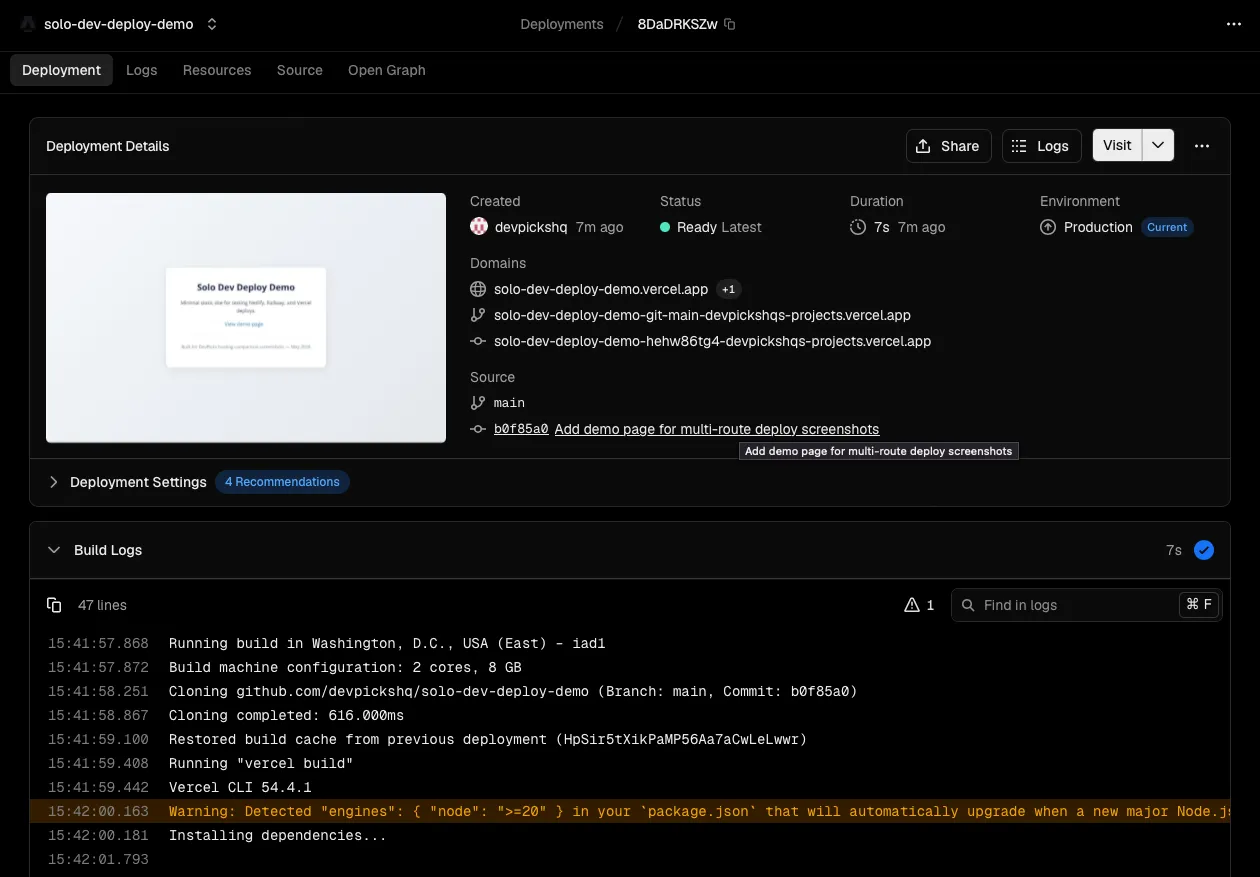
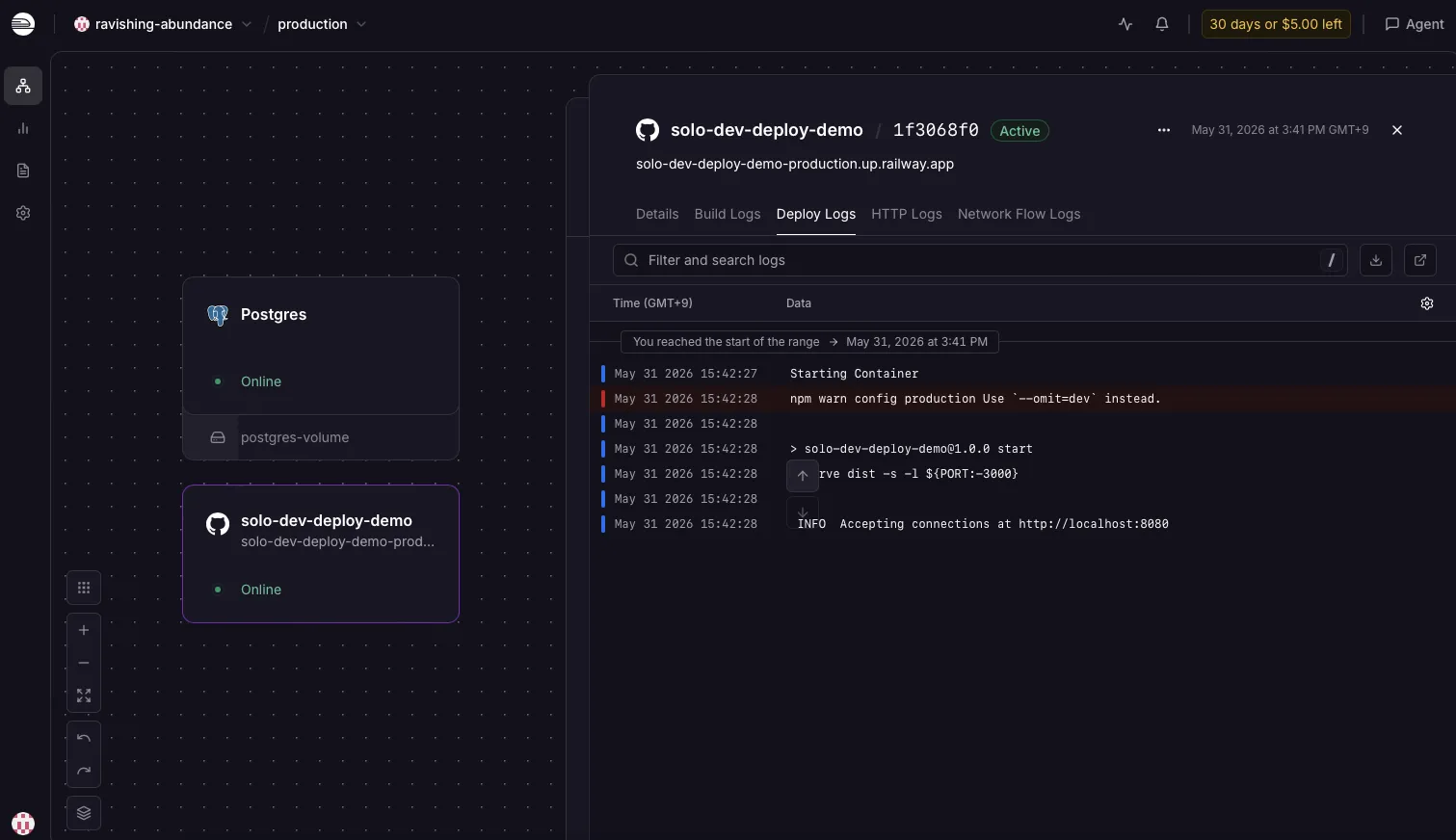
Walkthrough note. Dashboard screenshots in this post are from the author’s test accounts (May 2026). Task-by-task comparisons still follow official docs and common solo-dev deploy patterns — not timed benchmarks.
1. Deploy a full-stack app from GitHub
Railway: Connect your GitHub account, pick a repo, Railway detects the runtime and builds a container. Set env vars in the dashboard, get a *.up.railway.app URL. Monorepos typically use one Railway service per process — point each service at the right root directory or Dockerfile.
Vercel: Import the repo, Vercel detects Next.js (or other framework), build runs, preview URL appears, push to main promotes to production. Env vars per environment in the dashboard. If your “full-stack app” is Next.js with API routes, this is genuinely one click and done.
Winner: Tie for Next.js apps. Railway wins for non-Next, multi-process, or non-JS stacks.
2. Add PostgreSQL
Railway: New → Database → Postgres. A managed Postgres service appears, DATABASE_URL is auto-injected into your app’s env. DB storage and compute roll into your usage bill (volume storage at $0.15/GB/mo on top of service RAM/CPU).
Vercel: Use a marketplace DB partner — Neon, Supabase, PlanetScale, or even Railway itself. Connection string pasted as an env var. Works fine, but it’s usually a second vendor and a second bill unless you use Vercel’s integrated Neon flow.
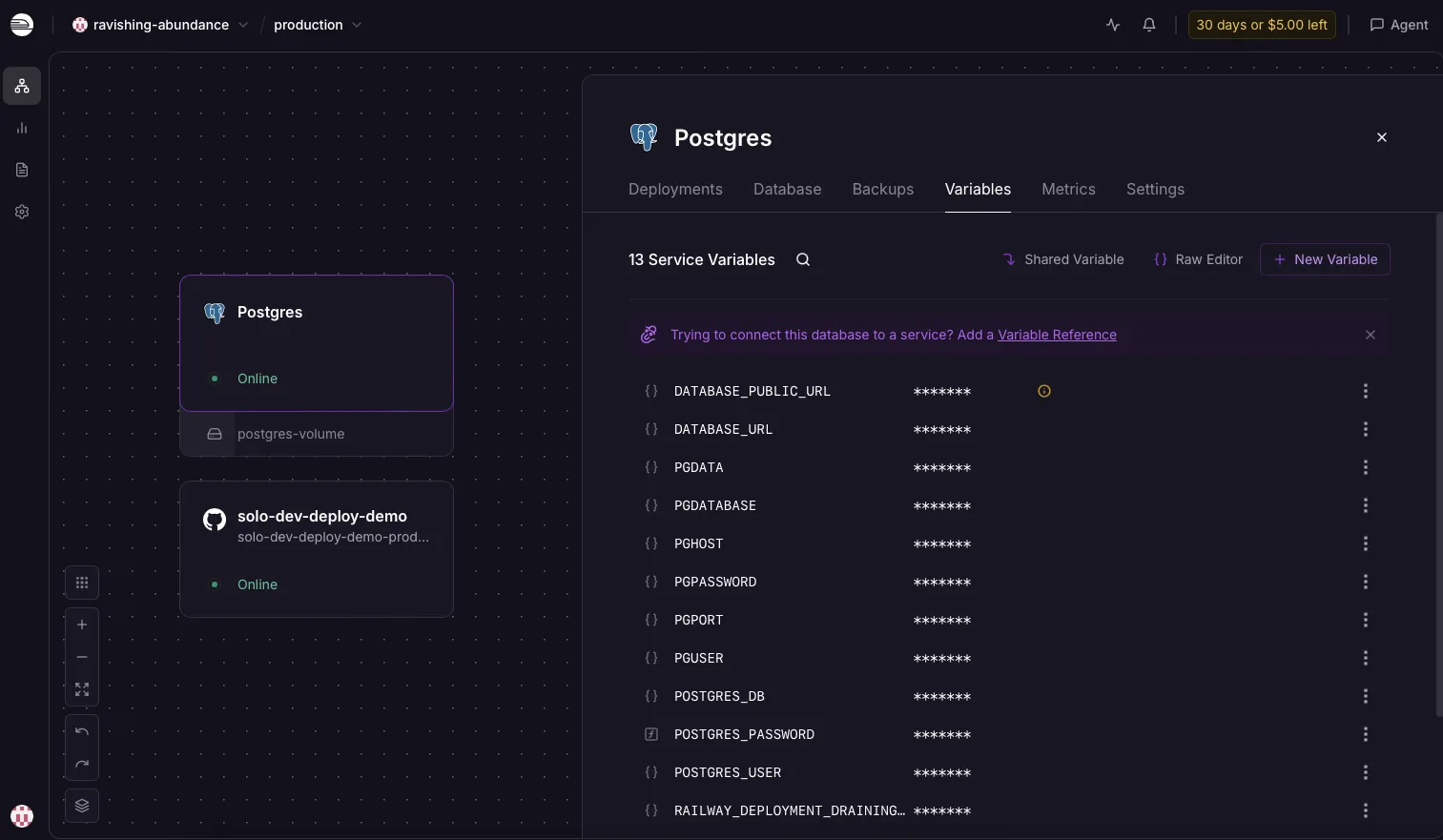
Winner: Railway, for “one dashboard, one bill, DB next to app.” Vercel is workable but multi-vendor by default.
3. Run a Docker service or non-Node runtime
Railway: Drop a Dockerfile in the repo and Railway builds and runs it. Python FastAPI, Go service, Elixir Phoenix, Bun, whatever you want. This is the case Railway is genuinely good at.
Vercel: Not really the use case. Vercel runs framework builds and serverless/edge functions, not arbitrary containers. You do not deploy a Dockerfile to Vercel the way you do on Railway.
Winner: Railway, decisively. If your app is Docker-shaped, this section ends the comparison.
4. Background work — cron, queue worker, long-running process
Railway: A worker is just another service with no public port. A cron job is a scheduled service. Both are first-class. You can run a Node worker that pulls from BullMQ all day, or a Python script on a 5-minute cron, the same way you’d run anything else.
Vercel: Cron jobs exist as scheduled function invocations on Pro and above, bound by the same execution timeouts as any other function. There is no persistent worker — every cron tick is a fresh invocation. For genuinely long-running jobs (multi-minute video processing, queue consumers, websocket servers), Vercel is the wrong tool.
Winner: Railway. Vercel cron is fine for “ping an endpoint every hour”; it is not a worker host.
5. Monthly cost at solo scale
Scenario: modest traffic side project — say a small SaaS with a handful of paying users, one always-on web service, one Postgres database, light background work.
Railway: Usage-based after included credits. A low-traffic side project with one small web service and Postgres often lands around $5–15/mo on Hobby if you stay within the included $5 credit — but a forgotten staging service or memory leak can push higher. Model your stack in the stack cost calculator.
Vercel: Hobby is $0 but personal/non-commercial only. A solo dev running one paid product realistically needs Pro at $20/user/mo, plus a separate DB vendor on top (Neon free tier, Supabase, etc.).
For personal context: DevPicks runs on Vercel (static Astro site) at roughly $0/month on Hobby. When a side project needs Postgres and a worker in one dashboard, I’d reach for Railway — expect at least $5/mo on Hobby after the trial credit. The friction I see most often is misconfigured env vars on first deploy, not platform outages — though Railway usage bills can creep up if you leave staging services running.
Winner: Depends. If your app is genuinely tiny and idle most of the time, Railway’s usage model can come out cheaper than Pro + external DB. If you have steady but moderate traffic with predictable patterns, Vercel Pro’s flat-ish bill is easier to budget. Don’t take anyone’s “X is always cheaper” line — model your own usage.
Pricing breakdown
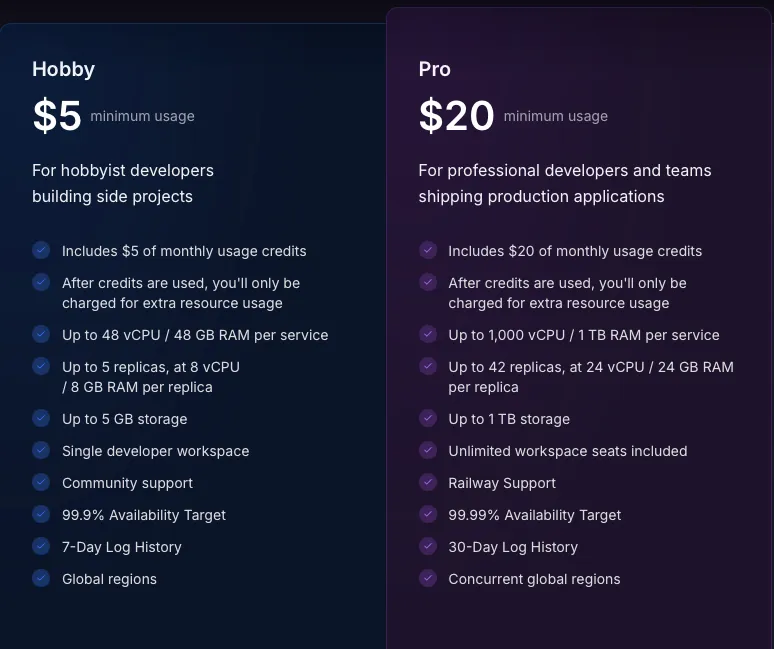
| Tool | Price | Pros | Action |
|---|---|---|---|
| Railway | $5 trial credit, then Hobby $5/mo (incl. $5 usage) or Pro $20/mo |
| Try → |
| Vercel | Hobby free (personal) · Pro $20/user/mo |
| Try → |
Two things to keep in mind reading any pricing comparison:
- Vercel’s “free tier” is genuinely free for personal projects but commercial-use restricted — per Vercel’s fair use guidelines, Hobby is for non-commercial, personal use only. Don’t ship a paid SaaS on Hobby.
- Railway’s “cheap when small” is real but conditional — usage scales linearly with your service running, not with your revenue. A staging service you forgot to delete still costs money.
Set spend alerts on both. Read the metered line items at the end of month one before you assume the bill will stay flat.
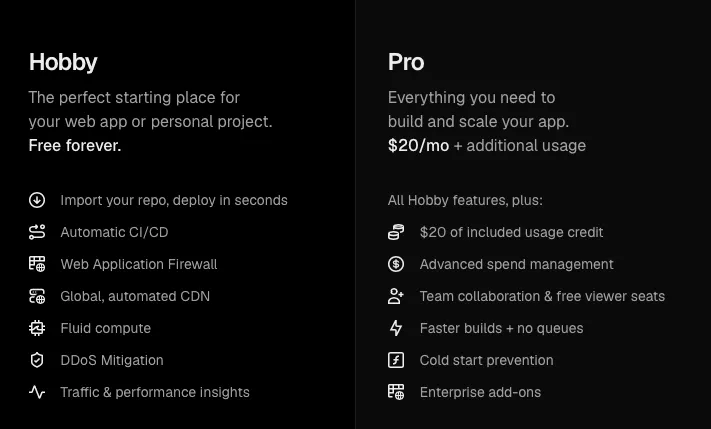
My verdict: who should get which
Get Railway if:
- Your app needs a database, and you want it in the same dashboard as the app.
- You’re using Docker, Python, Go, Elixir, Bun, or anything that isn’t “Next.js on Node.”
- You need cron, background workers, or any long-running process.
- You’re explicitly looking for a Heroku alternative for indie hackers.
Get Vercel if:
- The product is Next.js (or another well-supported framework) and the backend is API routes.
- Preview URLs per branch are part of how you ship.
- You want predictable per-month pricing with a real free tier for personal projects.
- “Backend” in your app means short serverless functions, not persistent processes.
Use both if (most full-stack side projects):
- Frontend (Next.js, marketing site, dashboard) on Vercel for the preview-URL + framework-native experience.
- Backend (API, workers, Postgres) on Railway for runtime flexibility and managed DB.
- Connect them with env vars. This is the split-stack pattern most solo devs I know land on once a project is real.
Skip both if:
- You want a single VM you fully control and lower predictable cost at scale — Fly.io or Render are closer comparisons, or a Hetzner/DigitalOcean VPS with Dokku/Coolify if you don’t mind ops.
- Your app is genuinely static — use Cloudflare Pages, Netlify, or GitHub Pages. See Netlify vs Vercel 2026.
- You’re already on AWS/GCP and adding another vendor is more cognitive load than it’s worth.
FAQ
Is Railway or Vercel better for solo developers in 2026?
Neither is universally better. Vercel is better for frontend-heavy projects, especially Next.js, where preview URLs and zero-config deploys matter. Railway is better for full-stack apps with a database, Docker services, or background work. For many solo devs, the right answer is “both, split across frontend and backend.”
Can Vercel replace Railway for a full-stack app with a database?
Partially. Vercel can host the app and run API routes as serverless functions, and you can connect Neon, Supabase, or other marketplace databases. What Vercel can’t replace is long-running processes — workers, websocket servers, anything that needs to stay alive between requests. If your app needs those, Railway (or a similar PaaS) does the work Vercel isn’t designed for.
Railway vs Vercel pricing — which is cheaper for a side project?
It depends on traffic shape. Vercel’s Hobby tier is free for personal projects, so a quiet side project costs literally nothing on Vercel — but commercial use requires Pro at $20/user/mo. Railway charges from the start after the $5 trial credit — Hobby is $5/mo minimum even if usage stays under the included credit. For a tiny personal project: Vercel Hobby wins. For a small paid SaaS with a DB: model both, because Railway at low scale can beat Pro + external DB if usage stays small.
Should I use Vercel for frontend and Railway for backend?
For many full-stack side projects, yes — that split gets you the best of each platform: Vercel’s framework-native frontend deploys and preview URLs, Railway’s flexible backend runtime and managed Postgres. The tradeoff is two vendors, two bills, and two dashboards. If your whole app fits cleanly inside Vercel’s serverless model, single-platform is simpler.
Is Railway a good Heroku alternative for indie hackers?
It’s currently one of the closer matches to Heroku’s original developer experience — git push to deploy, managed databases next to your app, logs and metrics in one dashboard, support for arbitrary runtimes via Docker. The main difference is billing: Heroku was tier-based dynos; Railway is usage-based. Render and Fly.io are strong alternatives in the same space — Render for simpler tier pricing, Fly.io for edge/global VMs — but which one fits depends on your runtime and tolerance for ops.
Wrapping up
Railway and Vercel are not really competing for the same workload — they’re competing for your attention when you haven’t decided what kind of app you’re building yet. Pick based on the architecture, not the marketing:
- Backend-heavy or Docker-shaped → Railway. It’s the closer Heroku alternative and the friendlier home for Postgres, workers, and non-Node runtimes.
- Next.js / frontend-first / light serverless → Vercel. The preview-URL workflow and framework integration are still genuinely ahead.
- Most full-stack side projects → split stack: Vercel front, Railway back, one env var between them.
Before you commit, model the cost on your actual stack with the stack cost calculator, and if you’re really choosing between Jamstack hosts instead, read Netlify vs Vercel 2026 first. You can also dig into the affiliate program details for both — Railway affiliate program and Vercel affiliate program — if you write about them too.
Both have free or trial entry points, so the risk of trying is low. The risk of locking in the wrong architecture six months in is higher — that’s the decision worth taking seriously today.
Start on Vercel →