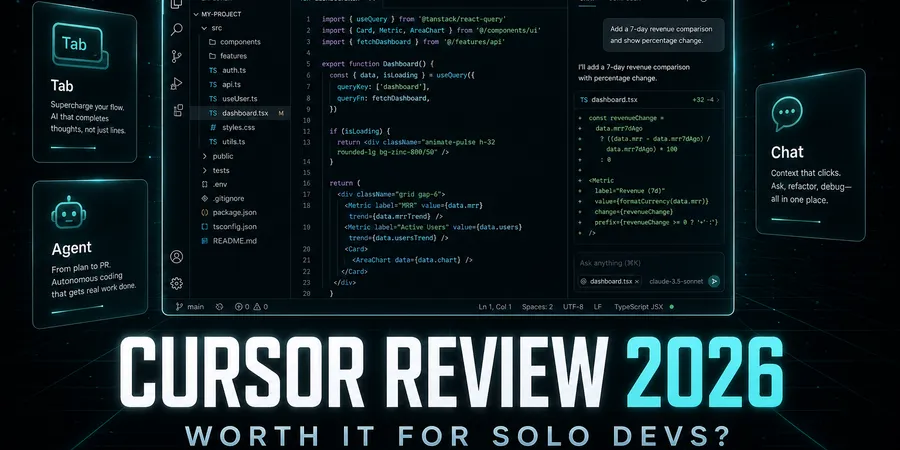
If you ship side projects for real (not just tweet about them), you’ve probably hit the same question I did: is Cursor worth paying for, or is GitHub Copilot + vanilla VS Code still enough? A Cursor review in 2026 isn’t about feature checklists anymore — it’s about whether an AI-native IDE pays for itself when you’re the only engineer, the only designer, and the person who gets pages when the deploy breaks.
I write and ship DevPicks in tools like this every week. This post is the honest take I wish I’d read before putting a card on file: what Pro actually buys, where agentic editing shines, where it burns money or trust, and when you should skip Cursor entirely.
This post contains affiliate links. If you buy through them, I may earn a commission at no extra cost to you. I only recommend tools I’d use on my own projects. Pricing checked against Cursor official pages (July 2026).
TL;DR
- Cursor is an AI-first code editor (VS Code–familiar UX) with Tab completions, codebase chat, and multi-file Agent workflows — not “Copilot bolted onto notepad.”
- Pricing (July 2026): Hobby free (limited Agent + Tab); Individual from $20/mo (Pro / Pro+ / Ultra usage tiers); Teams $40/user/mo; Enterprise custom. Paid plans include a usage pool; on-demand usage bills after you exhaust included credits.
- Worth it if you live in the editor all day and want agentic multi-file edits. Skip if you only need light autocomplete, have strict air-gapped requirements, or refuse another $20+ SaaS seat.
- My pick for most solo shippers: start on Hobby for a week, then Pro at $20/mo unless you’re burning Agent/frontier models all day — then look at Pro+ / Ultra.
- Soft check: model your whole stack (host + DB + tools) in the stack cost calculator before stacking AI seats.
What is Cursor?
Cursor is a standalone desktop IDE built for AI-assisted coding. Under the hood it feels like a fork of the VS Code world — command palette, extensions ecosystem familiarity, sidebar explorers — but the product center of gravity is LLM workflows inside the editor, not a plugin that whispers completions into whatever host IDE you already use.
That distinction matters. Copilot (and Tabnine, and a dozen others) optimizes for “stay in your current editor.” Cursor optimizes for “make the editor the place where the agent also lives.” You pay the migration tax once (keybindings, themes, muscle memory). You get Tabs, chat that can see the repo, and Agent flows that propose multi-file changes instead of single-line guesses.
For solo founders, the bet is simple: if AI cuts an hour of wiring per day, $20/mo is cheap. If you treat Agent like a toy and ignore Tab, you’re renting a sports car to fetch coffee.
Key features
1. Tab completions
The everyday win. Tab predicts the next edit — not just the next token in the current line. On a TypeScript/Astro codebase like DevPicks, that means fewer round-trips for boilerplate props, Zod shapes, and CSS that repeats three files over. Hobby includes limited Tab; paid Individual unlocks the usage pattern solo docs actually live in.
2. Codebase-aware chat
Ask “where do we resolve affiliate slugs?” and get answers grounded in this repo, not a random Stack Overflow vibe. Useful when you return to a project after two weeks and forgot your own routing. Less useful when the question is philosophically vague (“how should I architect auth?”) — you still need taste.
3. Agent / multi-file edits
This is the headline. Agent can touch several files, run through a task, and propose a coherent change set. It’s powerful on refactors (“add slug wiring like the Netlify button”) and dangerous when you approve without reading the diff. Treat Agent like a junior contractor: useful drafts, required review.
4. Inline edit (Cmd-K style)
Select a block, describe the change, apply. Great for local surgical edits without opening a full chat sidebar. I use this more than Agent for small CSS and copy tweaks.
5. Model access & usage pools
Individual plans advertise access to frontier models, Grok & Composer limits, MCPs, skills, hooks, and cloud agents on paid tiers. Cursor bills with included usage plus optional on-demand after you hit the pool — so $20/mo is the floor, not always the ceiling if you hammer expensive models. Set spend limits in billing if you tend to leave Agent running overnight.
6. Privacy mode
Cursor documents privacy mode: when enabled, they state code data is not used for training by Cursor or model providers. Teams get org-wide privacy mode. For client NDA work, read the security docs yourself and decide — don’t trust a blog post (including this one) as legal advice.
7. MCP, skills, hooks
Paid Individual calls out MCPs, skills, and hooks — the extension surface for connecting tools and automating editor workflows. Solo value varies: useful if you already think in agents; noise if you only wanted better Tab.
8. Familiar VS Code-ish UX
You won’t learn a brand-new editor paradigm. That’s deliberate. Migration cost is real but finite — themes, shortcuts, extension hunting. If you refuse to leave JetBrains or Vim for religious reasons, Cursor isn’t your product category.
Pricing & plans
Verified from cursor.com/pricing (July 2026):
| Plan | Price | Solo-dev read |
|---|---|---|
| Hobby | Free | Limited Agent + Tab — evaluation only for daily work |
| Individual | from $20/mo | Pro / Pro+ / Ultra — Cursor recommends Pro+ for daily Agent users, Ultra for power users |
| Teams | $40/user/mo | Admin, SSO, team privacy, shared agent context |
| Enterprise | Custom | Pooled usage, SCIM, audit logs, controls |
Taxes are extra. Annual billing is offered on the pricing toggle (discount varies — check the yearly column before you commit). On-demand usage continues after included credits, billed in arrears — enable limits if surprise AI bills haunt you.
| Tool | Price | Pros | Action |
|---|---|---|---|
| Cursor ⭐ Recommended | Hobby free · Individual from $20/mo · Teams $40/user/mo |
| Try → |
Pros & cons
Pros
- Agentic multi-file work beats single-line Copilot for refactors when reviewed carefully.
- One product surface — chat, Tab, Agent — without juggling three plugins.
- Hobby lets you taste before you bill $20.
- VS Code familiarity lowers migration pain.
Cons
- $20+/mo stack tax on top of hosting, DB, and analytics — easy to underestimate.
- Usage overages are real if you abuse frontier models; the sticker price isn’t always the final bill.
- Cloud/editor dependency — if Cursor is down or your account has issues, your “main IDE” is involved.
- Not for air-gapped / on-prem-first teams — look at Tabnine-class tools instead.
- Approval fatigue — Agent drafts can look confident and still be wrong; skipping diff review is expensive.
Hands-on review
Walkthrough based on shipping DevPicks (Astro + MDX + affiliate tooling) with Cursor-class AI editing in daily use — not a lab benchmark with a stopwatch.
Typical week: blog briefs, MDX fixes, affiliate component wiring, CSS layout tweaks. Tab catches repetitive frontmatter and import paths. Inline edit rewrites a section without leaving the file. Agent helps when a change spans affiliate-links.ts, a PricingTable, and a Callout — I still read every hunk.
Where it paid for itself: multi-file consistency (slug props, disclosure blocks) and “remind me how this project does X” chat after context-switching between hosting posts.
Where it wasted time: Agent over-refactors when the prompt is vague; Tab suggests wrong affiliate slug once and I almost committed it. The failure mode isn’t “AI can’t code” — it’s “AI is fast at plausible wrong.”
Simulated new-user path (docs-aligned): download → Hobby → open a real repo → use Tab for a day → try one Agent refactor on a branch → only then pay for Individual. Don’t buy Pro because Twitter said you should.
How it compares
| Need | Prefer |
|---|---|
| Stay in stock VS Code + light AI | GitHub Copilot (usually cheaper seat, plugin model) |
| Privacy / on-prem / air-gap | Tabnine (or enterprise LLM gateways) |
| Another AI-native IDE challenger | Windsurf — try both before multi-homing seats |
| Max agentic multi-file in one IDE | Cursor on Individual+ |
Copilot still wins for “I refuse to leave my current IDE.” Cursor wins when the editor is the agent runtime. Windsurf competes in the same AI-IDE lane — pick one paid seat first; dual-subscribing is how indie budgets die. For a head-to-head on privacy-first vs agentic IDE once we publish it, watch for a Cursor vs Tabnine comparison on the blog.
Who should use it
Buy / keep paying if:
- You code daily on side projects or client work and already wanted stronger-than-Copilot refactors.
- You’re willing to review Agent diffs like PR reviews.
- $20/mo is less than one freelance hour in your market.
Skip if:
- You open the editor twice a week.
- Legal requires on-prem or zero code egress beyond what’s audited.
- You’re still learning to ship without AI — learn the stack first, then accelerate.
My verdict
For solo shippers in 2026, Cursor Pro (Individual from $20/mo) is worth it if you live in an AI-native workflow and treat Agent as supervised labor. It’s not worth it as a status subscription or as a substitute for reading your own diffs.
Start Hobby → Pro. Move to Pro+/Ultra only when the usage dashboard shows you’re consistently exhausting Individual credits on Agent work that still saves calendar time. Teams at $40/user is a different buying center — not the default indie seat.
I’d rather pay Cursor than stack five mediocre AI plugins. I would not pay Cursor and Windsurf and Copilot Pro at once.
FAQ
Is Cursor worth it for solo developers in 2026?
Yes if you use Agent/Tab daily and review outputs. No if Hobby already covers your rare completions — don’t pay for vanity.
Cursor vs GitHub Copilot — which should I buy?
Copilot if you won’t leave VS Code/JetBrains. Cursor if you want an AI-native IDE with stronger multi-file Agent flows. Try both trials before annual billing.
Does Cursor work fully offline?
Expect cloud model calls for the features that matter. Offline is not the selling point — privacy mode and data policy are the controls to read, not “air-gap by default.”
Cursor Pro pricing — what’s included?
Individual starts at $20/mo with extended Agent limits, frontier model access, MCPs/skills/hooks, and cloud agents per the pricing page. Pro+ and Ultra raise usage for heavier Agent users. Confirm the open pricing page before buying — tiers evolve.
Can I use Cursor with VS Code extensions?
Many VS Code–ecosystem habits transfer; exact extension compatibility varies. Plan a short “break/fix my setup” afternoon after migrating.
Is the free Hobby tier enough?
For a taste test, yes. For full-time Agent work, limits show up fast — that’s intentional.
Cursor vs Windsurf — quick take?
Same product category (AI IDE). Pick one primary seat. Evaluate on your repo for a week each, not on launch demos.
Will Cursor train on my code?
Enable privacy mode if you need the training opt-out Cursor documents. For client contracts, align with their security review — don’t invent guarantees.
Wrapping up
Cursor in 2026 is a paid productivity bet, not a magic productivity percentage. Hobby proves the workflow; Individual (~$20/mo) is the real product; Pro+/Ultra are for Agent power users; Teams is for orgs. Pair it with honest diff discipline and a spending limit.
If you’re still choosing hosting or Postgres for the app Cursor helps you write, start with the DevPicks hosting matrix and Neon vs Railway — wrong infrastructure wastes more money than the wrong Tab key. Full stack math: /tools/. Program page: /affiliate/cursor/.
Start with Cursor →